How to Fix Ubuntu Packages Held Back
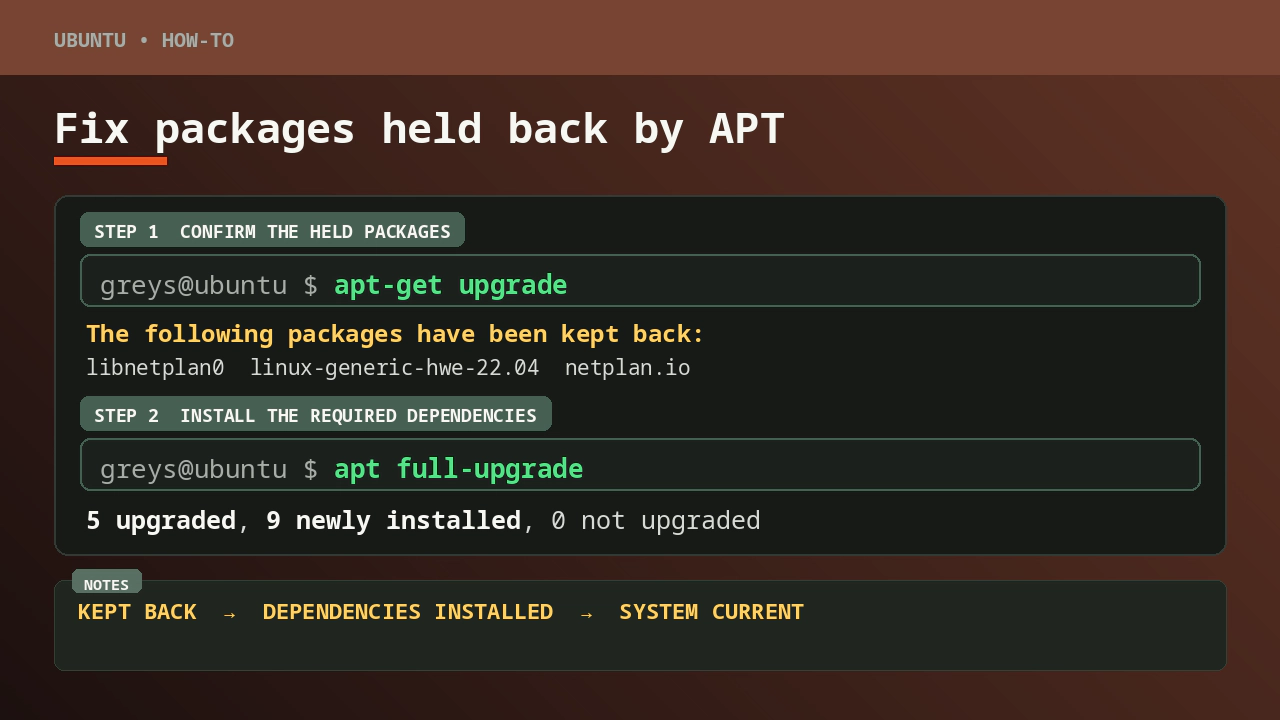
When trying to run do-release-upgrade on an Ubuntu 22.04 VM, I hit this familiar wall:
root@ansible:/# do-release-upgrade
Checking for a new Ubuntu release
Please install all available updates for your release before upgrading.
Fair enough — let’s update first.
The Held-Back Packages Problem
Running apt-get upgrade showed the system was almost fully updated, but five packages stubbornly refused to move:
root@ansible:/# apt-get upgrade
Reading package lists... Done
Building dependency tree... Done
Reading state information... Done
Calculating upgrade... Done
The following packages have been kept back:
  libnetplan0 linux-generic-hwe-22.04 linux-headers-generic-hwe-22.04 linux-image-generic-hwe-22.04 netplan.io
0 upgraded, 0 newly installed, 0 to remove and 5 not upgraded.
These packages are “held back” because upgrading them would require installing new packages (new kernel versions, new netplan components), and apt-get upgrade deliberately avoids that — it only upgrades packages already installed.
I tried --allow-change-held-packages but that flag only affects explicitly held packages (via apt-mark hold), not packages kept back due to dependency changes:
root@ansible:/# apt-get upgrade --allow-change-held-packages
...
The following packages have been kept back:
  libnetplan0 linux-generic-hwe-22.04 linux-headers-generic-hwe-22.04 linux-image-generic-hwe-22.04 netplan.io
0 upgraded, 0 newly installed, 0 to remove and 5 not upgraded.
The Fix: apt full-upgrade
The correct tool here is apt full-upgrade (or equivalently apt-get dist-upgrade). Unlike apt-get upgrade, it is allowed to install new packages and remove old ones to satisfy dependencies:
root@ansible:/# apt full-upgrade
Reading package lists... Done
Building dependency tree... Done
Reading state information... Done
Calculating upgrade... Done
The following NEW packages will be installed:
  linux-headers-6.8.0-124-generic linux-hwe-6.8-headers-6.8.0-124 linux-hwe-6.8-tools-6.8.0-124 linux-image-6.8.0-124-generic linux-modules-6.8.0-124-generic linux-modules-extra-6.8.0-124-generic
  linux-tools-6.8.0-124-generic netplan-generator python3-netplan
The following packages will be upgraded:
  libnetplan0 linux-generic-hwe-22.04 linux-headers-generic-hwe-22.04 linux-image-generic-hwe-22.04 netplan.io
5 upgraded, 9 newly installed, 0 to remove and 0 not upgraded.
Need to get 143 MB of archives.
After this operation, 769 MB of additional disk space will be used.
Do you want to continue? [Y/n] y
This upgraded the five held-back packages and installed the new kernel 6.8.0-124 alongside its headers and tools.
Clean Up Old Kernels
After the upgrade, apt-get upgrade flagged the old kernel packages as no longer needed:
root@ansible:/# apt-get upgrade
The following packages were automatically installed and are no longer required:
  linux-headers-6.8.0-111-generic linux-hwe-6.8-headers-6.8.0-111 linux-hwe-6.8-tools-6.8.0-111 linux-image-6.8.0-111-generic linux-modules-6.8.0-111-generic linux-modules-extra-6.8.0-111-generic
  linux-tools-6.8.0-111-generic
Use 'apt autoremove' to remove them.
Running apt-get autoremove removed the old 6.8.0-111 kernel and freed up 769 MB:
root@ansible:/# apt-get autoremove
...
After this operation, 769 MB disk space will be freed.
Do you want to continue? [Y/n] y
After that, apt-get upgrade confirmed everything was clean:
root@ansible:/# apt-get upgrade
0 upgraded, 0 newly installed, 0 to remove and 0 not upgraded.
Now do-release-upgrade will no longer complain about pending updates.
Summary
| Command | What it does |
|---|---|
apt-get upgrade | Upgrades installed packages; will NOT install new packages to satisfy deps |
apt full-upgrade | Upgrades everything, including held-back packages; installs/removes packages as needed |
apt-get autoremove | Removes packages that are no longer needed (e.g. old kernels) |
When packages are held back due to new dependency requirements, apt full-upgrade is the right tool — not apt-get upgrade, regardless of flags.







