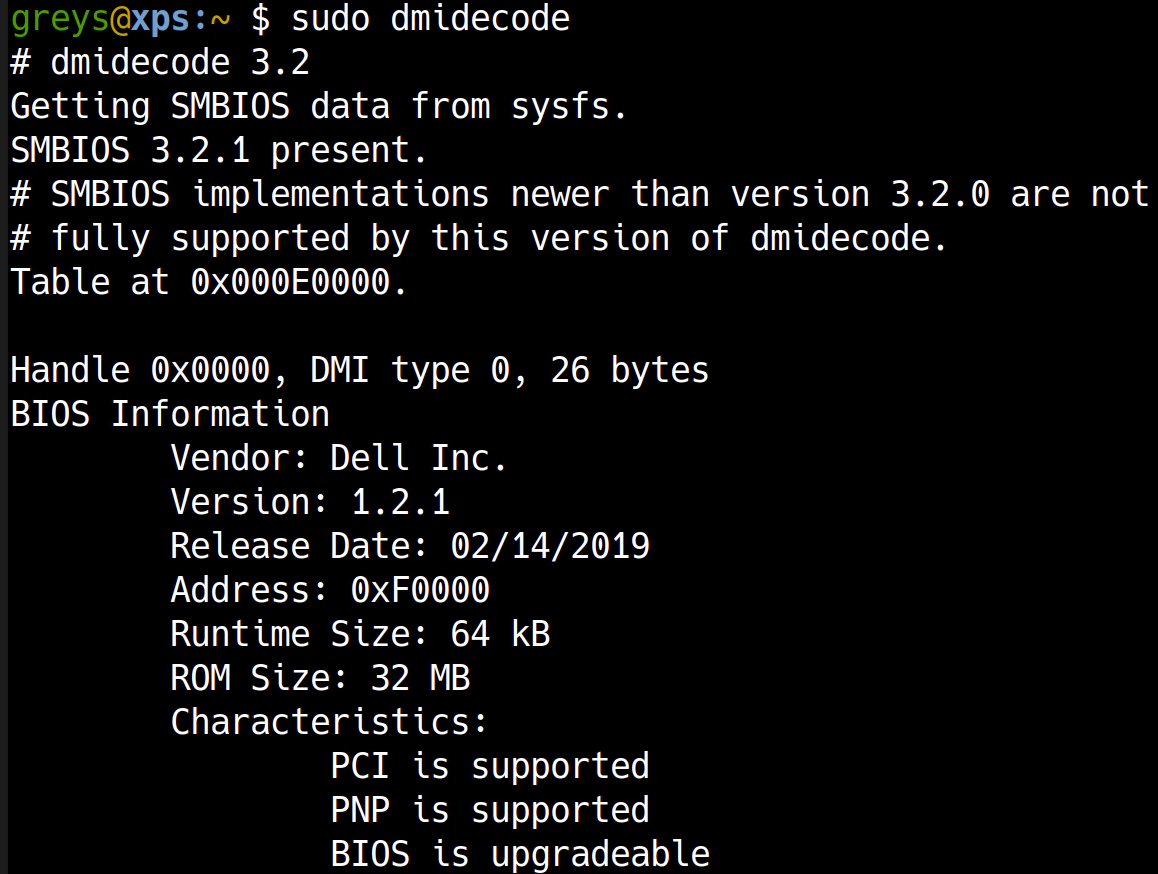
dmidecode reads hardware information from the system’s DMI (Desktop Management Interface) table, providing details about BIOS, motherboard, CPU, memory, and more.
Synopsis
dmidecode [OPTIONS]
Common Options
| Option | Description |
|---|
-t TYPE | Show specific type |
-s STRING | Show specific string |
-q | Less verbose |
Examples
All hardware info
$ sudo dmidecode -t system
System Information
    Manufacturer: Dell Inc.
    Product Name: PowerEdge R640
    Serial Number: ABC1234
$ sudo dmidecode -t bios
BIOS Information
    Vendor: Dell Inc.
    Version: 2.12.2
    Release Date: 01/15/2024
$ sudo dmidecode -t memory
$ sudo dmidecode -t processor
Get specific string
$ sudo dmidecode -s system-manufacturer
Dell Inc.

$ sudo dmidecode -s system-serial-number
ABC1234
DMI Types
| Type | Description |
|---|
| 0 | BIOS |
| 1 | System |
| 2 | Baseboard |
| 3 | Chassis |
| 4 | Processor |
| 16 | Physical Memory Array |
| 17 | Memory Device |
Common Patterns
Get server model
$ sudo dmidecode -s system-product-name
Get total RAM slots and capacity
Check memory modules
$ sudo dmidecode -t 17 | grep -E "Size|Type|Speed"
Tips
- Requires root: Need sudo for DMI access
- Virtual machines: Shows hypervisor info
- Dell/HP/Lenovo: Great for service tag lookup
- Memory planning: Check empty slots and max capacity
See Also
Tutorials