df – report filesystem disk space usage
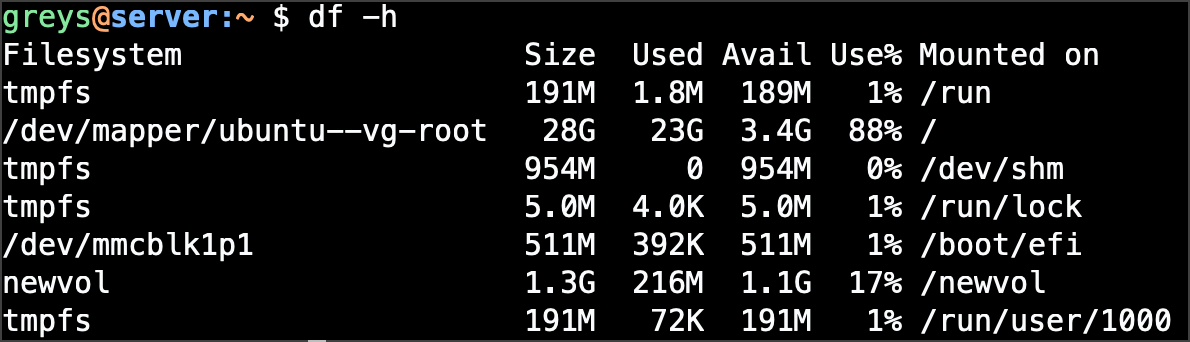
df displays disk space usage for filesystems. Essential for monitoring storage capacity.
Synopsis
df [OPTIONS] [FILE...]
Common Options
| Option | Description |
|---|---|
-h | Human-readable sizes (KB, MB, GB) |
-H | Human-readable with SI units (1000 not 1024) |
-T | Show filesystem type |
-i | Show inode usage instead of blocks |
-a | Include pseudo filesystems |
-l | Local filesystems only |
-t TYPE | Only show specific filesystem type |
Examples
Basic usage
$ df
Filesystem     1K-blocks      Used Available Use% Mounted on
/dev/sda1      103081248  45234567  52581234  47% /
tmpfs            8154236         0   8154236   0% /dev/shm
Human-readable sizes
$ df -h
Filesystem      Size  Used Avail Use% Mounted on
/dev/sda1        99G   44G   51G  47% /
tmpfs           7.8G     0  7.8G   0% /dev/shm
/dev/sdb1       932G  567G  365G  61% /data
Show filesystem type
$ df -hT
Filesystem     Type      Size  Used Avail Use% Mounted on
/dev/sda1      ext4       99G   44G   51G  47% /
tmpfs          tmpfs     7.8G     0  7.8G   0% /dev/shm
/dev/sdb1      xfs       932G  567G  365G  61% /data
Check specific path
$ df -h /home
Filesystem      Size  Used Avail Use% Mounted on
/dev/sda2       200G   89G  111G  45% /home
Show inode usage
$ df -i
Filesystem       Inodes  IUsed    IFree IUse% Mounted on
/dev/sda1      6553600 234567  6319033    4% /
Only local filesystems
$ df -hl
Show only specific type
$ df -ht ext4
Understanding Output
Filesystem      Size  Used Avail Use% Mounted on
│               │     │     │     │    │
│               │     │     │     │    └─ Mount point
│               │     │     │     └─ Percentage used
│               │     │     └─ Available space
│               │     └─ Used space
│               └─ Total size
└─ Device or filesystem
Common Patterns
Alert on high usage
$ df -h | awk '$5 > 80 {print $0}'
Check before large operations
$ df -h /backup && tar -czf /backup/data.tar.gz /data
Monitor in watch
$ watch -n 5 'df -h'
Tips
- -h is essential: Raw block counts are hard to read
- Check inodes too: You can run out of inodes before space
- Exclude tmpfs: Use
df -h -x tmpfs -x devtmpfsfor real disks - Use du for directories: df shows filesystems, not folders



