awk – pattern scanning and text processing
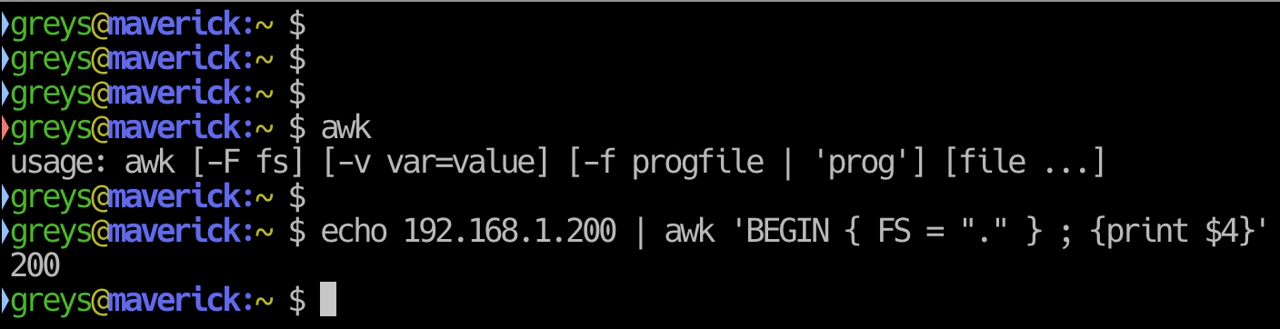
awk is a powerful text processing language. It excels at extracting and manipulating columnar data.
Synopsis
awk 'PATTERN { ACTION }' FILE
awk -F DELIMITER 'PROGRAM' FILE
Basic Concepts
- Fields: Columns split by whitespace (or custom delimiter)
- $1, $2, …: First field, second field, etc.
- $0: Entire line
- NF: Number of fields
- NR: Current line number
Examples
Print specific columns
$ awk '{print $1, $3}' file.txt

$ ls -l | awk '{print $9, $5}'    # Filename and size
Custom delimiter
$ awk -F: '{print $1, $7}' /etc/passwd
root /bin/bash
daemon /usr/sbin/nologin
Pattern matching
$ awk '/error/ {print}' log.txt
$ awk '$3 > 100 {print $1, $3}' data.txt
Line numbers
$ awk '{print NR, $0}' file.txt
1 First line
2 Second line
Sum a column
$ awk '{sum += $1} END {print sum}' numbers.txt
Count lines
$ awk 'END {print NR}' file.txt
Field separator in output
$ awk -F: 'BEGIN {OFS=","} {print $1, $3, $7}' /etc/passwd
root,0,/bin/bash
Common Patterns
Filter by column value
$ awk '$3 > 1000' /etc/passwd    # UID > 1000
$ awk '$1 == "root"' /etc/passwd
Print last field
$ awk '{print $NF}' file.txt
Print second-to-last field
$ awk '{print $(NF-1)}' file.txt
Skip header line
$ awk 'NR > 1 {print $1}' data.csv
Unique values
$ awk '!seen[$1]++' file.txt
Built-in Variables
| Variable | Meaning |
|---|---|
$0 | Entire line |
$1, $2... | Field 1, 2, etc. |
NF | Number of fields |
NR | Line number |
FS | Field separator (input) |
OFS | Output field separator |
RS | Record separator |
Examples with BEGIN/END
# Header and footer
$ awk 'BEGIN {print "Name\tSize"} {print $9, $5} END {print "Done"}'

# Calculate average
$ awk '{sum += $1; count++} END {print sum/count}' numbers.txt
Tips
- Use -F for delimiters:
-F:for /etc/passwd,-F,for CSV - Quote the program: Use single quotes to avoid shell expansion
- Combine with other tools:
grep pattern | awk '{print $2}' - Use printf for formatting:
awk '{printf "%-10s %5d\n", $1, $2}'







