Unix Tutorial
  • COMMANDS
    Advanced Unix Commands Basic Unix Commands Linux Commands macOS Commands Solaris Commands
  • VIDEOS
  • REFERENCE
    SSH SElinux tmux Ansible Docker
  • PROJECTS
  • GLOSSARY
  • SOFTWARE
    Homebrew macOS RedHat Linux
Home / Categories / How to

How To

13 Jun 2019 4 minutes read

Unix Tutorial
  • Advanced topicsHow-ToLinuxUnix Tutorial Projects

Use OfflineIMAP for Receiving Email

This week’s Unix Tutorial Project is super geeky and fun: I’m setting up text-based email archive system …

Read Full Article
12 Jun 2019 1 minutes read
I
  • How-ToMac OS

Install Oh My ZSH!

I have just installed ZSH shell using Homebrew to learn some new Unix shell tricks on my Macbook Pro. Next up is Oh My …

Read Full Article
17 May 2019 3 minutes read
H
  • how-tokernel

How To: Install Kernel Source Code in CentOS/RedHat

CentOS Linux From time to time it’s required to compile some Linux kernel specific software on your CentOS/RedHat …
Read Full Article
29 Apr 2019 2 minutes read
Installing fonts in Linux
  • how-tofonts

How to Install TTF Fonts in Linux

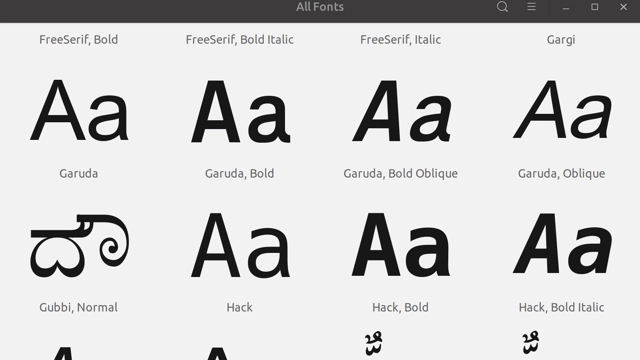
I really like the Hack font – it’s used in my terminal apps on MacOS, Linux and even Windows workstations. This …

Read Full Article
24 Apr 2019 2 minutes read
H
  • how-tossh

How to Check SSH Port Status

Check SSH port 22 with telnet When you’re configuring new SSH server, it’s possible that connection …

Read Full Article
18 Apr 2019 1 minutes read
H
  • how-tocentos

How To: View Windows (CIFS) Shares

I’m working on further configuring the Helios 4 based network storage. Some of network clients I have are Linux …
Read Full Article
12 Mar 2019 3 minutes read
htop - CPU 100% busy with dd
  • how-to

Stress Testing CPU With Dd Command

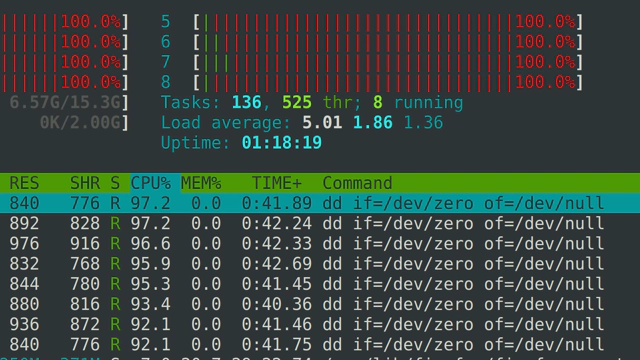
htop showing CPU busy with dd One of the really interesting ways of stress testing CPUs on your system is using dd …

Read Full Article
04 Mar 2019 5 minutes read
A
  • how-totodo

Automatically Remove Packages in Ubuntu

It is possible that removing some packages on your Debian, Ubuntu or Mint Linux system will leave a number of software …

Read Full Article
19 Feb 2019 3 minutes read
H
  • Advanced topicsCentOSHow-ToRed HatSecurity

How To: List Files With SELinux Contexts

When running a SELinux based setup, it might be useful to know how to quickly inspect files and directories to confirm …

Read Full Article
18 Feb 2019 5 minutes read
H
  • How-ToVirtualization

How To: Install VMware Tools in Ubuntu

I’m testing VMware Workstation 15 on my new laptop these days, and thought it’s a great opportunity to …
Read Full Article
  • 4
  • 5
  • 6
  • 7
  • 8

Get in Touch

IT Consultancy

I'm a principal consultant with Tech Stack Solutions. I help with cloud architectrure, AWS deployments and automated management of Unix/Linux infrastructure. Get in touch!

Search

Recommended

Agentic Coding School

Educative

Recent Articles

The ansible-vault decrypt command followed by its successful decryption result

How to decrypt files with Ansible Vault

ansible-vault decrypt restores an encrypted file …
A two-step terminal guide using pgrep to find a PID and footprint to inspect that process

Just discovered the macOS footprint command

I’ve administered Linux systems for around 25 …
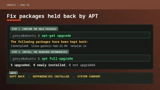
APT showing held-back Ubuntu packages followed by apt full-upgrade resolving them

How to Fix Ubuntu Packages Held Back

When trying to run do-release-upgrade on an Ubuntu …
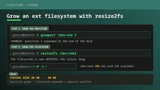
A Linux filesystem growing from 20GB to 40GB with growpart and resize2fs

How To Resize Filesystem with resize2fs

Quick note on filesystem resize on a typical …

macOS Tahoe

macOS Tahoe

macOS Tahoe is the upcoming major release of macOS …
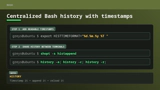
Bash history configuration for readable timestamps shared between terminal sessions

Centralized Bash history with timestamps

BASH is my Linux shell of choice (it’s zsh on …
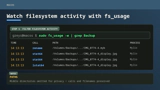
The macOS fs_usage command showing filtered filesystem activity

Inspect filesystem operations with fs_usage in macOS

hey Unless you disable SIP, most of DTrace based …

Unix Tutorial
  • About
  • Sitemap
  • UnixTutorial.RU
  • Tech Stack
  • Tech Stack AI
© 2026 Unix Tutorial