Unix Tutorial
  • COMMANDS
    Advanced Unix Commands Basic Unix Commands Linux Commands macOS Commands Solaris Commands
  • VIDEOS
  • REFERENCE
    SSH SElinux tmux Ansible Docker
  • PROJECTS
  • GLOSSARY
  • SOFTWARE
    Homebrew macOS RedHat Linux
Home / Categories / How to

How To

11 Apr 2008 5 minutes read
unix diff
  • how-to

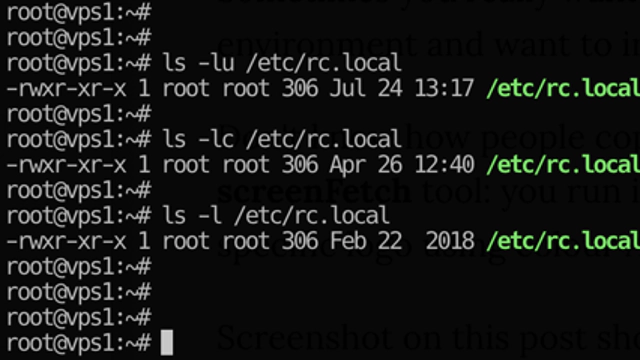
Atime, Ctime and Mtime in Unix Filesystems

What are atime, ctime and mtime? As you know, Unix filesystems store a number of timestamps for each file. Why are they …

Read Full Article
09 Apr 2008 1 minutes read
H
  • how-to

How to List Directories in a Directory in Unix

Another quick answer to the question I see a lot in search queries on this blog: listing directories in a directory.
Read Full Article
31 Mar 2008 3 minutes read
Check Centos Version
  • how-tocentos

How to Install 32-Bit Debian Packages on 64-Bit System

Many software products, especially the commercial ones, are distributed as 32-bit packages. This means that they …

Read Full Article
28 Mar 2008 2 minutes read
H
  • Basic stuffHow-To

How to Find Your UID From Bash

I see this question a lot in search engines requests which point to this blog. And if you’re so interested how …

Read Full Article
24 Mar 2008 4 minutes read
H
  • Basic stuffHow-ToLinuxUbuntu

How to Find the Largest Files in Your Unix System

I see that my Finding Large Files and Directories post is quite popular, yet there are a few more ways to simplify your …

Read Full Article
20 Mar 2008 1 minutes read
H
  • Basic stuffHow-To

How to Find the Owner of a File in Unix

Surprisingly, I see quite a few questions around file ownership asked all the time. And one of the first questions asked …

Read Full Article
07 Feb 2008 3 minutes read
H
  • How-ToNews

How to Compare Text Files Using Diff

If you need to compare two text files in Unix, you’re mostly likely to use the diff command.

Today I’ll talk …

Read Full Article
30 Jan 2008 1 minutes read
H
  • Basic stuffHow-To

How to Find Out Which Group a Unix User Belongs To

If you know the name of a particular user on your Unix system and just want to confirm the primary Unix group (gid) of …

Read Full Article
23 Jan 2008 1 minutes read
H
  • How-To

How to Find Out User ID in Unix

There’s quite a few ways to confirm a user ID (uid) in Unix.

id command

This is probably one of the easiest ways …

Read Full Article
19 Dec 2007 1 minutes read
H
  • How-ToLinuxRed Hat

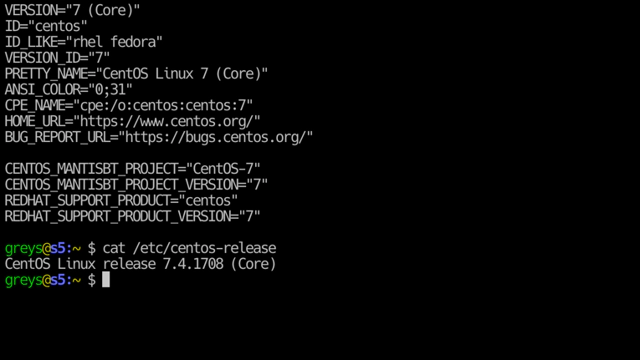
How to Find Out RedHat Version and More

If you’re a really curious mind, you won’t be satisfied with simply knowing the current release of your …
Read Full Article
  • 11
  • 12
  • 13
  • 14
  • 15

Get in Touch

IT Consultancy

I'm a principal consultant with Tech Stack Solutions. I help with cloud architectrure, AWS deployments and automated management of Unix/Linux infrastructure. Get in touch!

Search

Recommended

Agentic Coding School

Educative

Recent Articles

The ansible-vault decrypt command followed by its successful decryption result

How to decrypt files with Ansible Vault

ansible-vault decrypt restores an encrypted file …
A two-step terminal guide using pgrep to find a PID and footprint to inspect that process

Just discovered the macOS footprint command

I’ve administered Linux systems for around 25 …
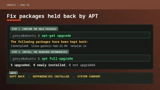
APT showing held-back Ubuntu packages followed by apt full-upgrade resolving them

How to Fix Ubuntu Packages Held Back

When trying to run do-release-upgrade on an Ubuntu …
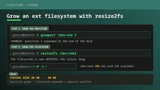
A Linux filesystem growing from 20GB to 40GB with growpart and resize2fs

How To Resize Filesystem with resize2fs

Quick note on filesystem resize on a typical …

macOS Tahoe

macOS Tahoe

macOS Tahoe is the upcoming major release of macOS …
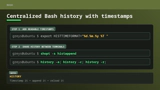
Bash history configuration for readable timestamps shared between terminal sessions

Centralized Bash history with timestamps

BASH is my Linux shell of choice (it’s zsh on …
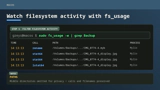
The macOS fs_usage command showing filtered filesystem activity

Inspect filesystem operations with fs_usage in macOS

hey Unless you disable SIP, most of DTrace based …

Unix Tutorial
  • About
  • Sitemap
  • UnixTutorial.RU
  • Tech Stack
  • Tech Stack AI
© 2026 Unix Tutorial