Unix Tutorial
  • COMMANDS
    Advanced Unix Commands Basic Unix Commands Linux Commands macOS Commands Solaris Commands
  • VIDEOS
  • REFERENCE
    SSH SElinux tmux Ansible Docker
  • PROJECTS
  • GLOSSARY
  • SOFTWARE
    Homebrew macOS RedHat Linux
Home / Categories / How to

How To

06 Jan 2009 5 minutes read
W
  • how-to

What to Do if Numeric ID Is Shown Instead of Username

As you know, every file in your Unix OS belongs to some user and some group. It is very easy to confirm the ownership of …

Read Full Article
24 Oct 2008 4 minutes read
H
  • How-To

How to Confirm the Software Cluster Used to Install a Solaris System

It’s been too long since my last post, and I’m really happy to be back from holidays! Today it will be a …

Read Full Article
02 Oct 2008 3 minutes read
T
  • how-to

Tracking the Progress of Rsync Transfers

In my first introductory rsync post, How To Synchronize Directories with Rsync, I’ve shown you the most basic …

Read Full Article
25 Sep 2008 3 minutes read
H
  • Basic stuffHow-To

How to Remove Files and Directories With Special Characters

Today is going to be a practical tip. If you’re managing many Unix systems, sooner or later you come across files …

Read Full Article
04 Sep 2008 4 minutes read
H
  • how-to

How to Synchronize Directories With Rsync

Today I’d like to show you the basic usage of rsync – a wonderful, old and reliable tool for incremental data …

Read Full Article
02 Sep 2008 4 minutes read
L
  • how-toubuntu

List Installed Packages on Your Ubuntu Linux

If you’re interested in what exactly your Ubuntu system has got installed, there’s a command you can use to …

Read Full Article
13 Aug 2008 3 minutes read
H
  • How-ToQuestions & AnswersScriptsSolarisUnix

How to Parse Text Files Line by Line in Unix Scripts

I’m finally back from my holidays and thrilled to be sharing next of my Unix tips with you!

Today I’d like …

Read Full Article
13 Jul 2008 1 minutes read
H
  • How To

How to Customize Your Command Line Prompt in Unix

If you use command line with any Unix shell for your daily tasks, you have probably recognized by this stage how really …

Read Full Article
18 Jun 2008 2 minutes read
H
  • Basic stuffHow-ToLinux

How to Determine Physical Memory Size in Linux

If you’re logged in at some remote Linux system and need to quickly confirm the amount of available memory, …

Read Full Article
01 May 2008 3 minutes read
H
  • how-to

How to Show a Processes Tree in Unix

Showing your processes in a hierarchical list is very useful for confirming the relationship between every process …
Read Full Article
  • 11
  • 12
  • 13
  • 14
  • 15

Get in Touch

IT Consultancy

I'm a principal consultant with Tech Stack Solutions. I help with cloud architectrure, AWS deployments and automated management of Unix/Linux infrastructure. Get in touch!

Search

Recommended

Agentic Coding School

Educative

Recent Articles

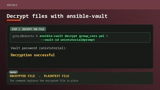
The ansible-vault decrypt command followed by its successful decryption result

How to decrypt files with Ansible Vault

ansible-vault decrypt restores an encrypted file …
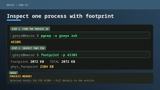
A two-step terminal guide using pgrep to find a PID and footprint to inspect that process

Just discovered the macOS footprint command

I’ve administered Linux systems for around 25 …
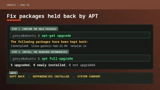
APT showing held-back Ubuntu packages followed by apt full-upgrade resolving them

How to Fix Ubuntu Packages Held Back

When trying to run do-release-upgrade on an Ubuntu …
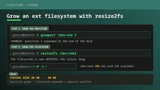
A Linux filesystem growing from 20GB to 40GB with growpart and resize2fs

How To Resize Filesystem with resize2fs

Quick note on filesystem resize on a typical …

macOS Tahoe

macOS Tahoe

macOS Tahoe is the upcoming major release of macOS …
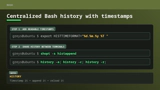
Bash history configuration for readable timestamps shared between terminal sessions

Centralized Bash history with timestamps

BASH is my Linux shell of choice (it’s zsh on …
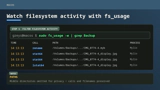
The macOS fs_usage command showing filtered filesystem activity

Inspect filesystem operations with fs_usage in macOS

hey Unless you disable SIP, most of DTrace based …

Unix Tutorial
  • About
  • Sitemap
  • UnixTutorial.RU
  • Tech Stack
  • Tech Stack AI
© 2026 Unix Tutorial