Unix Tutorial
  • COMMANDS
    Advanced Unix Commands Basic Unix Commands Linux Commands macOS Commands Solaris Commands
  • VIDEOS
  • REFERENCE
    SSH SElinux tmux Ansible Docker
  • PROJECTS
  • GLOSSARY
  • SOFTWARE
    Homebrew macOS RedHat Linux
Home / Categories / How to

How To

02 Jul 2014 2 minutes read
H
  • how-to

How to Use Wget and Curl

Both wget and curl are Unix commands for transferring files over the network via various network protocols like HTTP or …

Read Full Article
02 Jul 2014 3 minutes read
H
  • how-to

How To: Create Filesystem With Mkfs

The mkfs command available in UNIX and Linux operating systems is used to create file systems on various storage devices …

Read Full Article
28 May 2014 2 minutes read
H
  • How-ToLinux

How To: Make IP Forwarding Permanent in Linux

While IP forwarding in Linux is disabled by default, as most people don’t need it, there may be various reasons …
Read Full Article
20 May 2014 2 minutes read
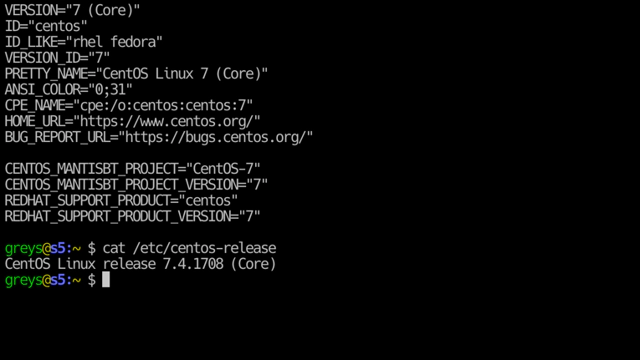
Check Centos Version
  • how-tocentos

How-To: Ubuntu - Enable SSH

Secure Shell (SSH) allows secure communication between networked computers for such purposes as logging in to a remote …

Read Full Article
04 Feb 2013 1 minutes read
H
  • how-tomacos

How to Confirm Mac OS Version From Command Line

Just a very quick tip today, I stumbled upon this command a while ago and think it may be handy for someone learning the …

Read Full Article
25 Sep 2012 3 minutes read
H
  • Basic stuffHow-ToMac OS

How to Mount DMG Files From Command Line in Mac OS

DMG files are proprietary disk image files used for software distribution in Mac OS. Providiing both password …

Read Full Article
28 Feb 2012 1 minutes read
H
  • Basic stuffCentOSHow-ToRed Hat

How To: Use Yum Behind Proxy

I’ve got a few RedHat and CentOS VMs running on internal network of my server, and since updating them quite …

Read Full Article
24 Jan 2012 3 minutes read
Check Centos Version
  • how-tocentos

Passwordless SSH With Encrypted Homedir in Ubuntu

Quite recently I came across a very interesting issue: while configuring passwordless SSH (it’s public key based, …

Read Full Article
02 Dec 2009 3 minutes read
H
  • How-ToLinuxRed Hat

How to Disable IPv6 in Red Hat Linux

Since it may be a while before I’m ready to use the IPv6 on my systems, I’ve been disabling IPv6 on most …

Read Full Article
12 Jun 2009 2 minutes read
H
  • How ToReference

How To: Using Return (Exit Status) Codes in Unix Shells

There are so many topics which I have never addressed on Unix Tutorial pages, I just can’t wait to share them with …
Read Full Article
  • 9
  • 10
  • 11
  • 12
  • 13

Get in Touch

IT Consultancy

I'm a principal consultant with Tech Stack Solutions. I help with cloud architectrure, AWS deployments and automated management of Unix/Linux infrastructure. Get in touch!

Search

Recommended

Agentic Coding School

Educative

Recent Articles

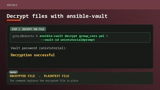
The ansible-vault decrypt command followed by its successful decryption result

How to decrypt files with Ansible Vault

ansible-vault decrypt restores an encrypted file …
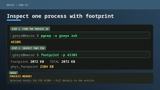
A two-step terminal guide using pgrep to find a PID and footprint to inspect that process

Just discovered the macOS footprint command

I’ve administered Linux systems for around 25 …
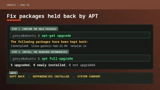
APT showing held-back Ubuntu packages followed by apt full-upgrade resolving them

How to Fix Ubuntu Packages Held Back

When trying to run do-release-upgrade on an Ubuntu …
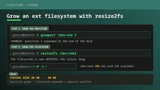
A Linux filesystem growing from 20GB to 40GB with growpart and resize2fs

How To Resize Filesystem with resize2fs

Quick note on filesystem resize on a typical …

macOS Tahoe

macOS Tahoe

macOS Tahoe is the upcoming major release of macOS …
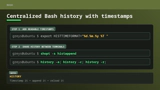
Bash history configuration for readable timestamps shared between terminal sessions

Centralized Bash history with timestamps

BASH is my Linux shell of choice (it’s zsh on …
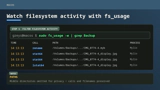
The macOS fs_usage command showing filtered filesystem activity

Inspect filesystem operations with fs_usage in macOS

hey Unless you disable SIP, most of DTrace based …

Unix Tutorial
  • About
  • Sitemap
  • UnixTutorial.RU
  • Tech Stack
  • Tech Stack AI
© 2026 Unix Tutorial