Unix Tutorial
  • COMMANDS
    Advanced Unix Commands Basic Unix Commands Linux Commands macOS Commands Solaris Commands
  • VIDEOS
  • REFERENCE
    SSH SElinux tmux Ansible Docker
  • PROJECTS
  • GLOSSARY
  • SOFTWARE
    Homebrew macOS RedHat Linux
Home / Categories / How to

How To

25 Nov 2014 2 minutes read
H
  • Advanced topicsHow-ToSecurity

How to Check if Your System Is Vulnerable to Shellshock

Shellshock refers to a set of vulnerabilities discovered in late summer 2014 that affects Bash (Bourne again shell), a …

Read Full Article
21 Nov 2014 2 minutes read
H
  • How-ToMac OS

How to Rename a Disk Partition in OSX

There are multiple ways to rename a disk partition in OSX, and both should work well depending on your situation.

Read Full Article
12 Nov 2014 2 minutes read
H
  • how-totodo

How To: Rename a Disk Partition in OSX

There are multiple ways to rename a disk partition in OSX, and both should work well depending on your situation.

Read Full Article
14 Sep 2014 3 minutes read
H
  • how-totodo

How to Capture Network Traffic With Tcpdump

You are here: Home / How-To / How to capture network traffic with tcpdump How to capture network traffic with tcpdump …

Read Full Article
07 Sep 2014 1 minutes read
H
  • How-ToLinux

How to Update Grub Boot Loader Config

GRUB bootloader starts up what’s necessary for your Linux or UNIX system to boot up. You can edit its settings, …
Read Full Article
05 Sep 2014 1 minutes read
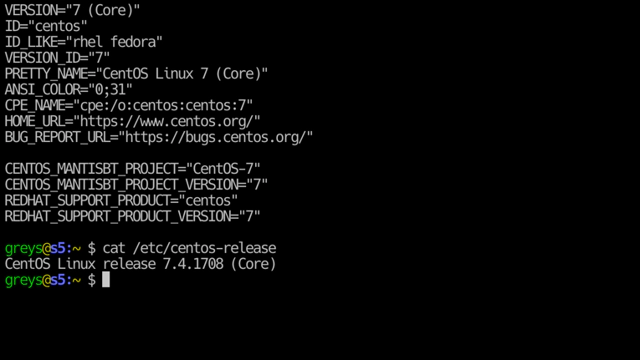
Check Centos Version
  • how-tocentos

Keep Iptables Rules After Reboot

The iptables command on Linux allows setting the rules for the Linux built-in firewall to follow when filtering packets …

Read Full Article
04 Sep 2014 3 minutes read
H
  • How-ToNetworking

How to Capture Network Traffic With Tcpdump

With tcpdump you can intercept, read, and save TCP/IP packets flowing through a particular network interface. These …

Read Full Article
03 Sep 2014 2 minutes read
Check Centos Version
  • how-tocentos

How to Use Dpkg to Compare Two Linux Servers

While we mainly install, remove, update and otherwise manage software on Debian and Ubuntu based systems using apt-get, …

Read Full Article
22 Jul 2014 1 minutes read
H
  • How-ToUnix

How to Change Hostname in FreeBSD

Changing the hostname in FreeBSD is very simple. It can be done immediately using the hostname command while logged in …

Read Full Article
02 Jul 2014 5 minutes read
H
  • how-to

How to Use Visudo

The visudo command is a safe and secure way of editing the /etc/sudoers file on UNIX and Linux systems. /etc/sudoers is …
Read Full Article
  • 8
  • 9
  • 10
  • 11
  • 12

Get in Touch

IT Consultancy

I'm a principal consultant with Tech Stack Solutions. I help with cloud architectrure, AWS deployments and automated management of Unix/Linux infrastructure. Get in touch!

Search

Recommended

Agentic Coding School

Educative

Recent Articles

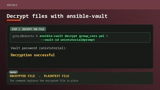
The ansible-vault decrypt command followed by its successful decryption result

How to decrypt files with Ansible Vault

ansible-vault decrypt restores an encrypted file …
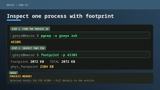
A two-step terminal guide using pgrep to find a PID and footprint to inspect that process

Just discovered the macOS footprint command

I’ve administered Linux systems for around 25 …
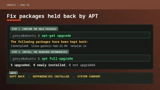
APT showing held-back Ubuntu packages followed by apt full-upgrade resolving them

How to Fix Ubuntu Packages Held Back

When trying to run do-release-upgrade on an Ubuntu …
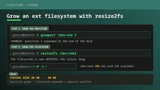
A Linux filesystem growing from 20GB to 40GB with growpart and resize2fs

How To Resize Filesystem with resize2fs

Quick note on filesystem resize on a typical …

macOS Tahoe

macOS Tahoe

macOS Tahoe is the upcoming major release of macOS …
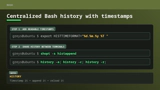
Bash history configuration for readable timestamps shared between terminal sessions

Centralized Bash history with timestamps

BASH is my Linux shell of choice (it’s zsh on …
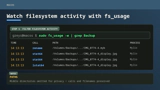
The macOS fs_usage command showing filtered filesystem activity

Inspect filesystem operations with fs_usage in macOS

hey Unless you disable SIP, most of DTrace based …

Unix Tutorial
  • About
  • Sitemap
  • UnixTutorial.RU
  • Tech Stack
  • Tech Stack AI
© 2026 Unix Tutorial